NEXUS9BIT
Wallpaper and Screensaver
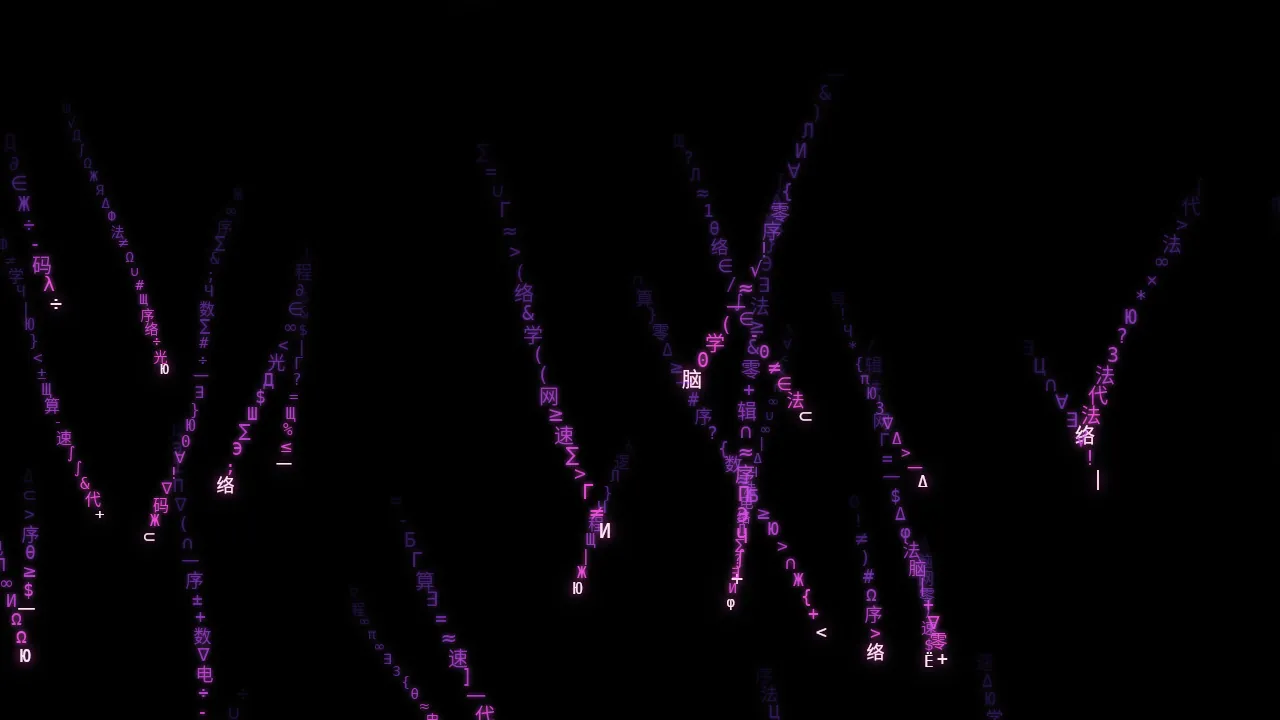
Glowing glyph rain that lives on your desktop. Math symbols, code, Chinese characters and Cyrillic letters fall at random angles behind your icons, in a pink-to-purple gradient with a soft neon glow.
Live demo running in your browser. The app draws the same rain behind your real desktop icons.
Your desktop, alive.
One app, three ways to run it: as your wallpaper, as your screensaver, or fullscreen on demand.
Live wallpaper
The rain draws behind your desktop icons, across all your monitors. Stop it any time and your normal wallpaper comes back.
Screensaver
Installs as a real Windows screensaver, fullscreen on every monitor, with a live preview in the Screen Saver settings.
Settings window
Tune density, speed, glow, opacity and frame rate. The wallpaper and the screensaver share the same settings.
Tray menu
Start or stop the wallpaper, open Settings, turn run-at-startup on or off, or exit, all from the tray icon.
Four glyph sets
Math symbols, code characters, Chinese characters and Cyrillic letters fall at random angles, wobble and scramble as they go.
Pink-to-purple glow
Each stream fades from hot pink through violet to deep purple, with a bright lead glyph and a soft neon bloom.
A real frame from the app.
Captured from the app's own rain renderer.
Pick your platform.
One purchase includes every build. Download whichever you need.
Windows 11 Main
Dark installer, version 9.2.
- Live wallpaper behind your icons, with tray menu
- Screensaver in the Screen Saver list
- Settings window and optional run at startup
Linux Main
Version 9.2 for x86_64.
.debfor Ubuntu, Zorin and Debian-based distros- AppImage for any distro
tar.gzportable archive- Settings window, tray item, fullscreen and desktop rain
macOS Beta
Version 9.2, Apple Silicon and Intel DMGs.
- Settings window, menu-bar item, fullscreen and desktop rain
- Not yet tested on a real Mac, so treat it as a beta
- Not notarized, so first launch needs a right-click → Open
System requirements.
Windows
- Windows 11, 64-bit (x64)
- About 42 MB download; no extra runtime needed
- Software renderer by default, so no special graphics card is needed
Linux
- 64-bit x86_64 distro with glibc 2.31 or newer (Ubuntu 20.04+, Zorin 16+)
- Desktop rain needs an X11 session; fullscreen rain works anywhere
- About 40 MB download
macOS (Beta)
- Apple Silicon or Intel Mac
- About 45 MB download
- Beta: please report anything that doesn't work
Own it once.
One-time purchase. Windows, Linux and macOS (Beta) builds included.
Questions.
How do I get the files after I pay?
Stripe sends you straight to a download page with links for every platform. Download any or all of them, as many times as you like, for 24 hours. Stripe also emails your receipt. Keep the page private.
Windows says "Windows protected your PC". Is that normal?
Yes. The installer isn't code-signed yet, so Microsoft SmartScreen warns about it. Click More info, then Run anyway. On macOS, the app is not notarized: right-click it and choose Open, or go to System Settings → Privacy & Security → Open Anyway.
How do I set it as my screensaver?
The Windows installer adds Nexus 9bit to the Screen Saver list. Open Settings → Personalization → Lock screen → Screen saver, pick Nexus 9bit, set the wait time and click OK. The Settings button there opens the same settings as the wallpaper.
How do I start or stop the live wallpaper?
Use the tray icon: Start/Stop wallpaper, Settings, Run at startup and Exit. Stopping it puts your normal wallpaper back.
Does it work on Linux and Mac?
Linux (.deb, AppImage, tar.gz) is fully supported; desktop rain needs an X11 session. The macOS builds are a beta that hasn't been tested on a real Mac yet.
Is it a subscription?
No. It's a single $29.95 purchase.
Can I get a refund?
Refunds follow the Nexus 9bit merchant policy: request one within 7 days of purchase by emailing [email protected] with your Stripe receipt. Refunds are approved if the app won't install or run on a supported system after we've tried to help, or if you were charged in error or twice.